Follow along
They log in their own app and invite you with a code. You see their entries and the patterns in their days, wherever you are.
Mom, dad, partner, daughter. People who care for someone with diabetes need a place to see how the day went, too — without asking all the time.
They log in their own app and invite you with a code. You see their entries and the patterns in their days, wherever you are.

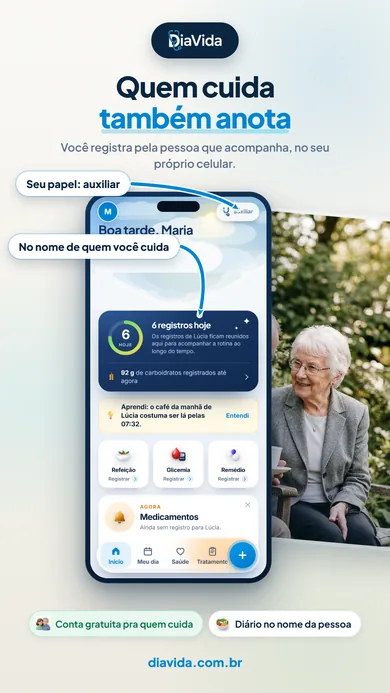
No phone? No problem. You log on your own device, under their name — meals, medications, blood sugar — and bring the report to the appointment.
“Want to grab lunch?” works better than checking up on a meal. That’s how the app talks to the person logging.
One person remembers the prescription, another the schedule, another follows along from afar. Everyone has a role.
The PDF with your days organized comes along to the appointment — and talking with the doctor gets easier.
With DiaVida+, the person you care for gets video visits, ongoing care and a direct line to the care team — built on the entries you already keep together.


The app stays free. DiaVida+ is a separate subscription that starts with your DiaVida account.
No. If they don’t use a phone, you log for them on your device — meals, medications, blood sugar — and create the report for the appointment. If they do, they invite you and you follow along from afar.
The account holder creates a code in their Profile and sends it to you. You enter the code and start seeing their entries, with no access to their password or to anything beyond what they choose to share.
You see the entries and patterns; the app doesn’t send clinical alarms or replace the doctor. In an emergency, go to the nearest health service or call 911.
Yes, with an account. Each person has their own space for entries.